
I hit something recently that took longer to figure out than it should have.
I bought a laptop for a colleague as a custom build; I do this from time to time when the standard laptops from our distributor don’t meet the requirements. All our standard laptops come with a Windows Pro OEM license in the BIOS, and we have no choice about this; however on the one it was purchased without an OS. That was intentional. We’ve got Microsoft 365 Business Premium across the business and, in my head, that includes Windows as part of the stack. Install it, sign in, and it activates.
Unfortunately as I later found out this simply isn’t how it works.
The systems team built the system, installed Windows 11 Pro, joined it to Entra, assigned the licence, and everything looked exactly as you’d expect. Except it wouldn’t activate. No useful error, nothing obviously broken, just sat there unlicensed.
So they checked the user has the right licence, checked the join state, checked policies, checked connectivity. All the normal things you’d expect to be wrong. Everything looked fine, which just makes it more frustrating.
What threw things off even more was that we had another laptop being provisioned at the same time and that one worked perfectly. Same process, same tenant, same licensing. Activated straight away. At that point you’re not questioning the licensing model, you’re looking for some odd difference between the two builds.
It took a bit too long to realise the actual difference wasn’t anything we’d configured. The working machine was one of our standard laptops with an OEM Windows licence already baked into it. The custom build wasn’t.
That’s the bit that isn’t obvious unless you’ve run into it before. Microsoft 365 Business Premium doesn’t give you a base Windows licence, it gives you everything that sits on top of Windows. Enterprise features, device management through Intune, identity through Entra, security controls, policy. All of that assumes there’s already a valid Windows Pro licence on the device; but this isn’t readily stated.
What doesn’t help is how Microsoft present it. If you look at their comparison docs or pricing pages, you’ll see things like “Windows 11 Edition” listed under Business Premium. It reads like Windows is included. In reality it’s describing upgrade rights and feature access, not the underlying operating system licence itself. There’s no clear line that says you still need Windows underneath it, which is exactly where the confusion comes from.
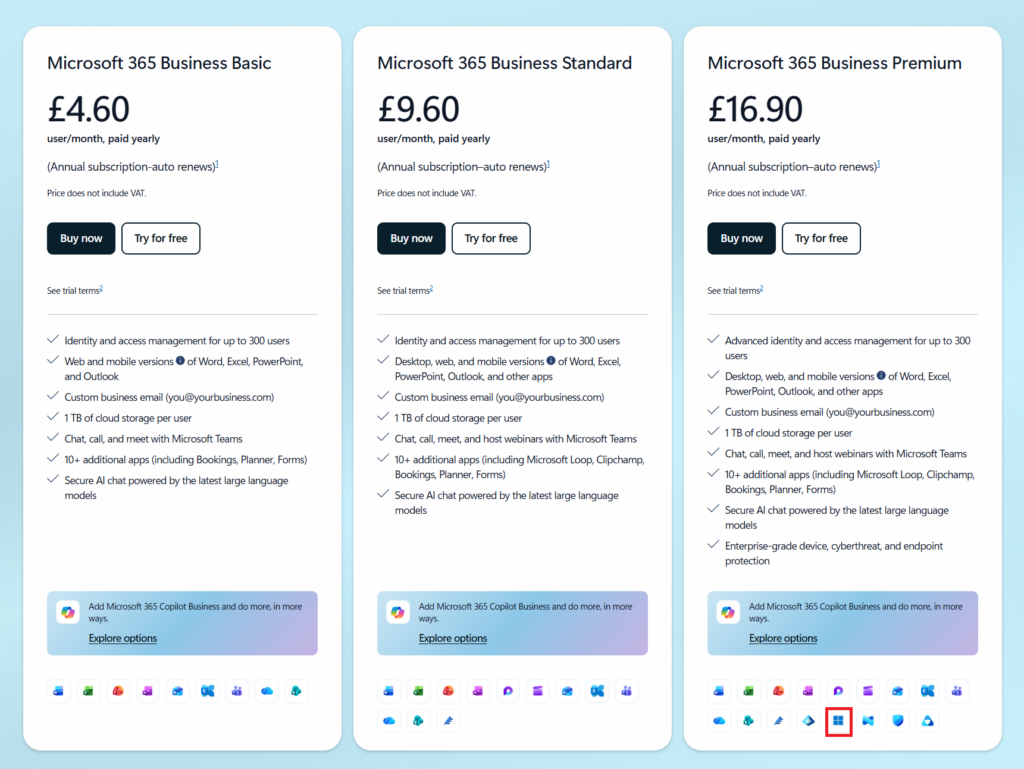
https://www.microsoft.com/en-gb/microsoft-365/business#pricing

Looking back, it makes sense why this hadn’t come up before. Every device we normally deal with already has Windows on it. The OEM key sits in firmware, activation happens quietly in the background, and Microsoft 365 layers on top. You never see the dependency, so it’s easy to assume the subscription is doing more than it actually is.
This time we removed that layer and the gap showed up straight away.
Once we realised what was missing, the fix was simple. We had spare Windows Pro keys, applied one, activated the device, and everything immediately behaved as expected. It activated, upgraded, policies applied, and that was the end of it. No rebuild needed, just the missing piece added.
The only real takeaway from it is that if you’re dealing with physical hardware, you still need a base Windows licence on the device. Either buy it with Windows Pro or plan to apply a key as part of the build. Microsoft 365 doesn’t replace that step, even though it looks like it should.
It all makes sense once you know it. It’s just not obvious until you end up in exactly this situation.
Leave a Reply