
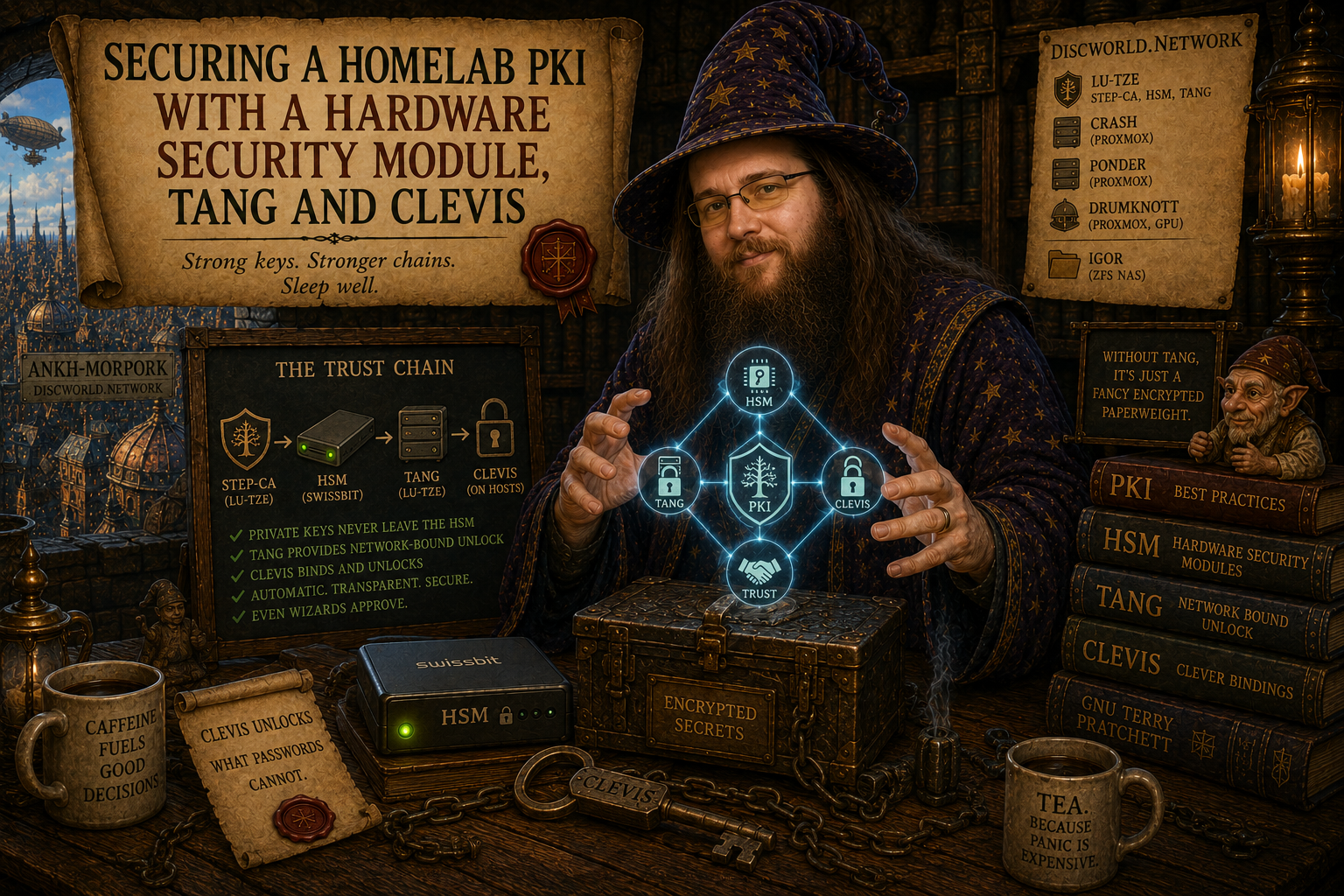
This post covers two things I’ve wanted to do in my homelab for a while: move my private Certificate Authority off Docker and onto dedicated hardware, and implement automatic LUKS disk encryption unlock across my server fleet. Along the way I added a USB Hardware Security Module to protect the CA root keys. Here’s how it all fits together.
The Problem
My internal Certificate Authority runs Smallstep step-ca, which handles TLS certificates for everything on my network via ACME. Traefik picks them up automatically, so all my internal services get valid HTTPS without any manual cert management.
The issues with my previous setup were straightforward. StepCA ran in Docker on a general-purpose host, which isn’t great for something that is the root of trust for my entire internal network. CA private keys were file-based, meaning anyone with root access to the host could read them. And all my LUKS-encrypted hosts required manual unlock on reboot, which meant headless servers sitting at a passphrase prompt after a power cut.
The Architecture
The dedicated CA/Tang host runs Debian 12. It is the first thing that boots and the last thing that shuts down.
The Swissbit iShield HSM holds the Root CA private key and the Intermediate CA private key, both marked never extractable. Below that sits a file-based Signing CA whose key step-ca uses for daily certificate issuance. The Tang server runs on the same dedicated host, and every other host in the fleet runs Clevis to auto-unlock its LUKS volume at boot by contacting Tang. If Tang is unreachable, Dropbear provides an SSH fallback inside the initramfs.
Choosing the Hardware
The CA/Tang host needed to be low power, always on, physically small, and ideally have a TPM so it could unlock its own LUKS volume automatically without depending on anything else.
My first thought was a Dell Wyse 3040 thin client. They are cheap second-hand, draw around 6W, and are x86 so there are no architecture headaches with PKCS#11 libraries. The problem is the Wyse 3040 has no TPM at all. TPM support in the Wyse family only appears in the 5070 and above. The M.2 WiFi slot on the 3040 also only supports SDIO rather than PCIe, which rules out using it for anything useful. It would have worked with Dropbear as the only unlock mechanism, but for a host that everything else depends on I wanted something more self-sufficient.
I ended up using an HP EliteDesk 800 G2 Mini instead. It has an Infineon SLB9670 TPM that can be upgraded from 1.2 to 2.0 via HP’s firmware utility, an Intel i3-6300T, 8GB DDR4, an M.2 NVMe slot, and a 2.5" SATA bay. Second-hand they go for very little. The storage layout is a 256GB SK Hynix BC501 NVMe for the OS and a 256GB Samsung PM871a SATA SSD for StepCA data, Tang keys, and audit logs, kept separate from the OS deliberately.
One note on the TPM firmware upgrade: HP’s utility requires Windows to run. If you are doing this from a WinPE environment, be aware that Microsoft’s servers will reject connections from WinPE with error 715-123130, apparently flagging it as an anonymous connection. You will need a full Windows install or to source the softpaq and run it locally.
The Swissbit iShield HSM is a USB device that implements PKCS#11. It works with the standard OpenSC stack on Linux with no proprietary drivers needed.
Tang and Clevis
How It Works
Tang is a key server. It holds an elliptic curve key pair and responds to ECDH key exchange requests. It is completely stateless and doesn’t know which clients have bound to it, doesn’t log requests, and doesn’t store any client data.
Clevis is the client-side counterpart. When you bind a LUKS volume to Tang, Clevis generates an ephemeral key pair, performs an ECDH exchange with Tang, uses the result to derive a key that encrypts the LUKS master key, and stores that encrypted blob in a LUKS keyslot on the disk.
At boot, the initramfs brings up the network, Clevis contacts Tang, performs the ECDH exchange, and unlocks the disk automatically. The LUKS master key is never transmitted over the network.
The security model is simple: Tang’s presence on your network is the authentication. Steal the disk and boot it elsewhere and Tang isn’t reachable, so the disk stays locked.
Setting Up Tang
apt install tang
systemctl enable --now tangd.socket
tang-show-keys
Note the thumbprint output. You will need it on every client when binding.
Setting Up Clevis on Each Host
apt install clevis clevis-luks clevis-initramfs clevis-systemd

clevis luks bind -d /dev/[LUKS_PARTITION] tang \
  '{"url":"http://[TANG_HOST_IP]","thp":"[TANG_THUMBPRINT]"}'
You will be prompted for the existing LUKS passphrase to add a new keyslot. Then configure a static IP for the initramfs so it can reach Tang at boot:
echo 'IP=[HOST_IP]::[GATEWAY]:[NETMASK]:[HOSTNAME]:[INTERFACE]:off' \
  >> /etc/initramfs-tools/initramfs.conf

update-initramfs -u -k all
Reboot and the disk unlocks automatically.
Dropbear Fallback
If Tang is unreachable at boot, Dropbear provides a tiny SSH server in the initramfs:
apt install dropbear-initramfs
vi /etc/dropbear/initramfs/authorized_keys
echo 'DROPBEAR_OPTIONS="-p 2222"' > /etc/dropbear/initramfs/dropbear.conf
update-initramfs -u -k all
To unlock remotely when Clevis can’t reach Tang:
ssh -p 2222 root@[HOST_IP]
cryptroot-unlock
The Boot Dependency Chain
The Tang host must boot before anything else can auto-unlock. The EliteDesk uses clevis-tpm2 for its own LUKS unlock once the TPM firmware is upgraded to 2.0, so it comes up without any intervention. Everything else then unlocks via Clevis automatically. Dropbear is configured on the EliteDesk as a fallback in case the TPM measurement fails.
Moving StepCA to Dedicated Hardware
The migration from Docker to bare metal is less dramatic than it sounds. Stop the container, tar the data directory, copy it to the new host, fix the paths, create a systemd service.
# On the old Docker host
docker stop stepca
tar czf /tmp/stepca-backup.tar.gz -C /path/to/stepca/data .
scp /tmp/stepca-backup.tar.gz [CA_HOST]:/tmp/

# On the new host
mkdir -p /var/lib/step-ca
tar xzf /tmp/stepca-backup.tar.gz -C /var/lib/step-ca/
sed -i 's|/home/step|/var/lib/step-ca|g' /var/lib/step-ca/config/ca.json
useradd --system --home /var/lib/step-ca --shell /bin/false step
chown -R step:step /var/lib/step-ca
The systemd service:
[Unit]
Description=StepCA Certificate Authority
After=network.target

[Service]
User=step
Group=step
Environment=STEPPATH=/var/lib/step-ca
ExecStart=/usr/bin/step-ca /var/lib/step-ca/config/ca.json \
  --password-file /var/lib/step-ca/secrets/password
Restart=on-failure
AmbientCapabilities=CAP_NET_BIND_SERVICE

[Install]
WantedBy=multi-user.target
StepCA data lives on the PM871a SATA SSD mounted at /var/lib/step-ca, separate from the OS drive. If the OS needs reinstalling the CA data is untouched.
The HSM-Backed PKI
Why an HSM
File-based CA keys are protected by filesystem permissions and the passphrase you encrypt them with. That is better than nothing but if an attacker has root on the host they can read the key material. An HSM generates keys on-device and the private key never leaves the hardware. Even with full root access you cannot extract it.
The Swissbit iShield HSM is a USB PKCS#11 device that works with the standard OpenSC stack. No proprietary middleware needed on Linux. Keys generated on it are marked never extractable, local and the hardware enforces this property.
The Certificate Hierarchy
Three levels made sense for this setup. The Root CA key lives on the HSM and is only ever used to sign the Intermediate. The Intermediate CA key also lives on the HSM and is used to sign the Signing CA. The Signing CA has a file-based key and is what step-ca uses for day-to-day certificate issuance. If the Signing CA key were compromised, it can be revoked and reissued without touching the HSM or the Root.
Root CA is valid for 10 years, Intermediate for 5, Signing CA for 2. End-entity certificates issued by step-ca are 24 hours and auto-renewed via ACME. Short-lived certs mean no revocation infrastructure is needed and the blast radius of any compromise is small.
Initialising the HSM
apt install opensc libengine-pkcs11-openssl pcscd
systemctl enable --now pcscd

pkcs15-init --create-pkcs15

pkcs11-tool --module /usr/lib/x86_64-linux-gnu/opensc-pkcs11.so \
  --keypairgen --id "01" --label "ca-root" \
  --key-type EC:prime256v1 --login

pkcs11-tool --module /usr/lib/x86_64-linux-gnu/opensc-pkcs11.so \
  --keypairgen --id "02" --label "ca-intermediate" \
  --key-type EC:prime256v1 --login
Verify the keys show never extractable, local in the output before proceeding.
Generating the CA Certificates
Add the PKCS#11 engine to OpenSSL:
cat >> /etc/ssl/openssl.cnf << 'EOF'
openssl_conf = openssl_init
[openssl_init]
engines = engine_section
[engine_section]
pkcs11 = pkcs11_section
[pkcs11_section]
engine_id = pkcs11
MODULE_PATH = /usr/lib/x86_64-linux-gnu/opensc-pkcs11.so
init = 0
EOF
Self-sign the Root CA using the HSM key:
openssl req -engine pkcs11 -keyform engine \
  -key "pkcs11:object=ca-root;type=private" \
  -new -x509 -days 3650 -sha256 \
  -subj "/CN=[YOUR_ORG] Root CA/O=[YOUR_ORG]/C=[COUNTRY]" \
  -out root_ca.crt
Sign the Intermediate with the Root HSM key:
openssl req -engine pkcs11 -keyform engine \
  -key "pkcs11:object=ca-intermediate;type=private" \
  -new -sha256 \
  -subj "/CN=[YOUR_ORG] Intermediate CA/O=[YOUR_ORG]/C=[COUNTRY]" \
  -out intermediate.csr

openssl x509 -engine pkcs11 -CAkeyform engine \
  -CAkey "pkcs11:object=ca-root;type=private" \
  -CA root_ca.crt -req -days 1825 -sha256 \
  -CAcreateserial -in intermediate.csr \
  -out intermediate_ca.crt
Generate the file-based Signing CA using step-kms-plugin:
step certificate create \
  --profile intermediate-ca \
  --ca intermediate_ca.crt \
  --ca-key "pkcs11:module-path=/usr/lib/x86_64-linux-gnu/opensc-pkcs11.so;slot-id=0;id=%02?pin-value=[HSM_PIN]" \
  "[YOUR_ORG] Signing CA" \
  signing_ca.crt signing_ca_key
One thing worth knowing about the PKCS#11 URI format: different tools interpret it slightly differently. The step-kms-plugin rejects URIs that contain both token and serial fields, even though pkcs11-tool includes both in its output. Use slot-id instead and put the full module path and pin in the same URI rather than splitting across a --kms flag and a key URI. This took a while to work out.
A Note on step-ca and PKCS#11
The standard step-ca binary is compiled without CGO and does not support PKCS#11 directly for its signing operations. The step-kms-plugin extends the step CLI to work with HSMs for certificate management tasks, but step-ca itself uses a file-based key for day-to-day issuance. This is a reasonable and common CA architecture. The HSM protects the root of trust, and the file-based Signing CA is a revocable layer below it.
Putting It Together
With StepCA running on the EliteDesk backed by HSM keys, and every host auto-unlocking via Tang/Clevis at boot, the day-to-day operational picture is straightforward. Hosts reboot and come back without intervention. Certificates renew automatically via ACME every 24 hours. The iShield sits plugged into a USB port doing nothing visible until a CA key operation is needed.
The only manual step remaining in the whole chain is unlocking the EliteDesk itself if the TPM measurement fails and Dropbear fallback is needed. For a machine that rarely reboots that is an acceptable trade-off.
References
Update – 10 May 2026
Shortly after publishing this post I ran into a chain validation issue that is worth documenting for anyone doing a similar three-tier PKI setup.
The problem: pathlen:0 on the Intermediate CA
When the Intermediate CA was signed using the Root HSM key, OpenSSL’s default behaviour set pathlen:0 in the Basic Constraints extension. This means the Intermediate can only sign leaf certificates directly and cannot sign another CA certificate. With a three-tier hierarchy (Root to Intermediate to Signing CA to leaf), this causes Verify return code: 25 (path length constraint exceeded) and browsers reject the certificates entirely.
The fix is to reissue the Intermediate CA certificate with pathlen:1, which permits exactly one subordinate CA below it before leaf certificates are reached. Since the Intermediate private key is on the HSM and never extractable, the key itself does not change. Only the certificate is reissued.
# Generate CSR from existing HSM intermediate key
openssl req -engine pkcs11 -keyform engine \
  -key "pkcs11:object=stepca-intermediate;type=private" \
  -new -sha256 \
  -subj "/CN=Your Intermediate CA/O=Your Org/C=GB" \
  -out /tmp/intermediate_new.csr

# Sign with Root HSM key, pathlen:1
openssl x509 -engine pkcs11 -CAkeyform engine \
  -CAkey "pkcs11:object=stepca-root;type=private" \
  -CA /path/to/root_ca.crt \
  -req -days 1825 -sha256 -CAcreateserial \
  -extensions v3_intermediate_ca \
  -extfile <(printf '[v3_intermediate_ca]\nbasicConstraints=critical,CA:true,pathlen:1\nkeyUsage=critical,keyCertSign,cRLSign\nsubjectKeyIdentifier=hash\nauthorityKeyIdentifier=keyid:always') \
  -in /tmp/intermediate_new.csr \
  -out /path/to/intermediate_ca_new.crt

# Verify
openssl x509 -in /path/to/intermediate_ca_new.crt -noout -text | grep -A3 "Basic Constraints"
The correct output should show CA:TRUE, pathlen:1.
Traefik and LEGO_CA_CERTIFICATES
Traefik uses the lego ACME client internally. Lego does not use the operating system trust store and has its own. To trust a private CA ACME endpoint you must set the LEGO_CA_CERTIFICATES environment variable pointing to the CA chain file, even if you have already mounted the root cert and run update-ca-certificates inside the container. Without this, Traefik refuses to connect to the Step CA ACME directory and falls back to its built-in self-signed certificate.
services:
  traefik:
    environment:
      - LEGO_CA_CERTIFICATES=/certs/discworld-chain.crt
    volumes:
      - /path/to/ca-chain.crt:/certs/discworld-chain.crt:ro
If your Step CA uses a multi-tier hierarchy, LEGO_CA_CERTIFICATES must point to a bundle containing the full chain including all intermediates, not just the root.
On certificate lifetime
The 24-hour default certificate lifetime is intentional. Traefik handles renewal transparently via ACME and the short lifetime means no revocation infrastructure is needed. Leave it at 24 hours.
Another Update – 11 May 2026
I went to go buy another Swissbit iShield HSM (PU-50n) and found that they’re now EoL.
If you are sourcing hardware for a new build it is worth checking availability before committing to this device. However the OpenSC/PKCS#11 approach described here is not specific to the iShield and any USB PKCS#11 token that works with the standard OpenSC stack should be a viable alternative. The Nitrokey HSM2 and YubiHSM 2 are both worth looking at as alternatives with active production status. I personally (because I do like a “roll your own”) will be looking at the Pico Keys project – specifically Pico HSM
Leave a Reply